




INP in E-commerce: Optimizing Core Web Vitals for Lightning-Fast Interactivity and Conversion
In the world of e-commerce, a fraction of a second matters. The modern customer does not accept compromises—if the "Add to Cart" button does not respond immediately, the cart will remain empty. This is why Core Web Vitals are evolving to more faithfully reflect user frustration. Outdated metrics are giving way to a new, relentless judge of the customer experience: Interaction to Next Paint (INP).
Listen to the audio version of this article.

Why INP Replaced FID? Definition and the INP Metric
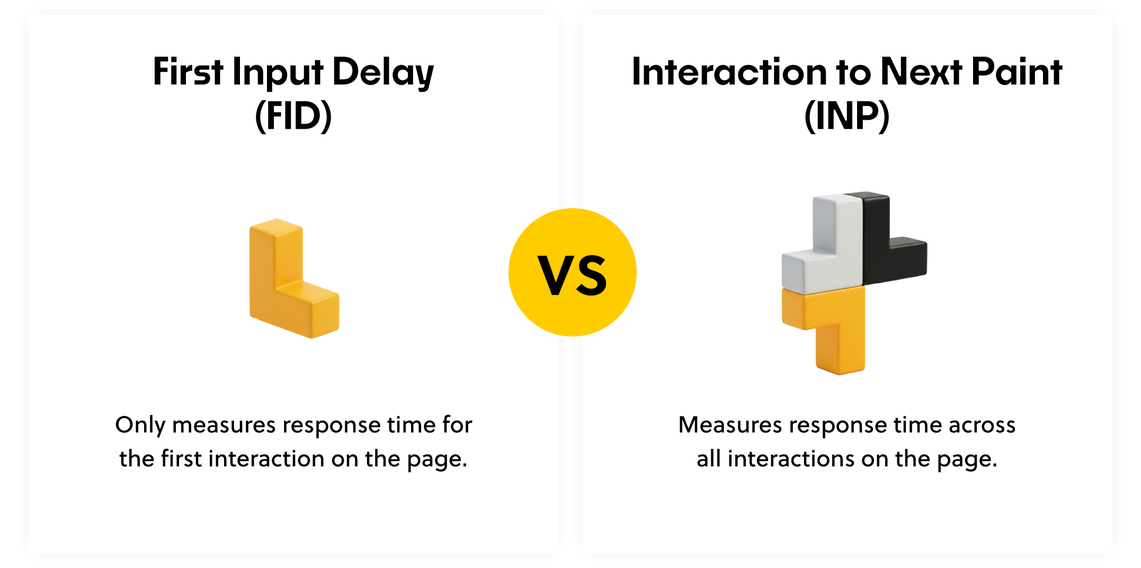
INP is a new, crucial metric that officially replaced First Input Delay (FID) in Core Web Vitals starting in March 2024. Why is this change so significant?
FID's Flaws and INP's Strength: The main weakness of FID was that it only recorded the delay of the first click, which often happens when the browser's Main Thread is busy. Even if the first interaction was fast, complex JavaScript scripts loaded later could cause key interactions at later stages (e.g., filters, cart) to be delayed. Because INP measures interaction delay based on the 98th percentile of all interactions (thus considering almost all of the user's slowest interactions), it provides a much more reliable picture of page responsiveness throughout the entire user session.
INP is therefore a measure of "Perceived Responsiveness." This INP metric does not allow problems with delays that appear later, at key stages of the purchasing path, to be hidden.
Business Impact of INP: Conversion and SEO
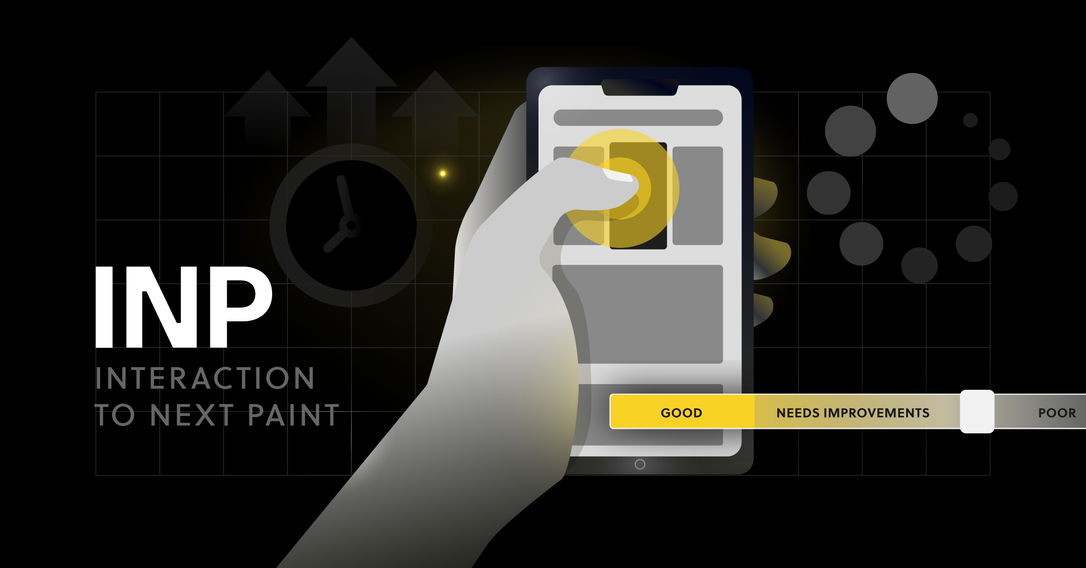
In digital commerce, where competition is just a click away, Interaction to Next Paint (INP) ceases to be merely a technical frontend metric and becomes a key indicator of business effectiveness. This reaction time is a literal reflection of your customer's patience. It determines whether the user will complete the transaction or leave your site feeling frustrated.
The two main areas where optimal INP determines success are conversion and search engine visibility, described below.
Correlation with Conversion: Frustration due to an overly long response time is one of the strongest factors leading to session abandonment. If clicking a product thumbnail requires 500 ms to zoom in, the customer loses patience, and later, trust. Google studies have repeatedly shown a strong correlation between improving Core Web Vitals metrics and conversion growth. Simply put, improving your site's performance means increasing profits.
SEO Ranking Factor: Since INP has become an official element of Core Web Vitals, its optimal score is also a ranking factor. Stores that offer lightning-fast interactivity and high responsiveness will gain a competitive advantage in search results, which, in turn, can positively and directly impact your e-commerce visibility.
Is your e-commerce holding back your growth?
See how our enterprise-class solutions eliminate technical debt and boost conversion rates!
Measuring INP: From Lab to Real Data
To effectively optimize performance, you must understand where and how to measure it.
Field Data (Real Data – Most Important)
Google emphasizes data collected under real-world conditions, meaning from actual users.
The main source of truth about your INP is the Chrome User Experience Report (CrUX), visible in tools like Google Search Console. This data, collected anonymously from Google Chrome users, is the most reliable because it reflects the variety of conditions in which user activities take place.
Lab Data (Test Data – Auxiliary)
In short, these are measurements performed in a controlled environment.
Lighthouse / PageSpeed Insights: These tools help simulate user conditions (e.g., slow internet, weak phone) and identify problems. However, INP in Lab Data is not entirely reliable because lab tests focus on page loading, not on the complex, multiple interactions that a live user generates.
The Measurement Difference: Despite their limitations and the fact that they do not fully reflect the conditions prevailing on real users' devices, Lab Data tools are useful for measuring FCP (First Contentful Paint) and LCP (Largest Contentful Paint)—i.e., metrics related to visual page loading:
FCP (First Contentful Paint): Measures the time until the browser displays the first content element (e.g., a header, a piece of text), giving the user a signal that the page has started loading.
LCP (Largest Contentful Paint): Measures the time elapsed from the start of page loading until the largest content element (e.g., a large image, a product banner) visible in the browser window is displayed. LCP is key for the first impression of speed.
Therefore: Use them to measure FCP and LCP, but trust Field Data for INP. However, it should be noted that data from the Chrome User Experience Report (CrUX) is often aggregated and may be uninformative in practice when diagnosing specific problems with URLs. For advanced optimization, implementing a RUM (Real User Monitoring) library is essential to obtain detailed interaction data.
The question arises: "What constitutes a 'Good' INP score?" You can all about it here.
Technical Depth: Anatomy of an Interaction (The INP Model)
To optimize effectively, we must understand that the INP delay is not one, but three components that sum up to the final result. Understanding them helps with targeted optimization:
Input Delay
The time that elapses from the moment of the user action (click, key press) until the browser actually begins processing that interaction.
Main Cause: Most often, it is the blocking of the Main Thread by other long-running JavaScript tasks (Long Tasks) that must finish before the browser addresses the click event handler.
Processing Time:
The time during which the event-handling code itself runs (Event Handler) — the execution of the JavaScript logic associated with the interaction (e.g., form validation, cart calculations).
Main Cause: Poorly optimized, overly complex, or excessive code within the event handler itself.
Presentation Delay:
The time needed to display the next visual frame (updated UI) in the browser after the event handler finishes work.
Main Cause: Intense recalculation of the page layout (layout thrashing) and painting after changes introduced by JavaScript.
Architectural Optimization: Headless Strategies for INP
The key to INP optimization is maximally relieving the Main Thread. While direct optimization involves working with JavaScript code, Headless and Composable architecture enables and facilitates the implementation of key, permanent techniques necessary to achieve low INP scores.
JS Optimization: Three Steps to Lowering INP
To effectively lower the INP metric, optimization must be carried out purposefully, focusing on the three phases of interaction just presented:
| Strategic Move | Optimization Purpose | How to make it faster? |
|---|---|---|
| 1. Optimization of Input Delay | Remove bottlenecks and ensure the page is always ready for a click. | Minimize the risk of blocking: Limit the amount of code that must run before the page becomes usable. Defer heavy tasks for later. |
| 2. Optimization of Processing Time | Ensure that the code itself performs only necessary and fast operations. | Limit work at the moment of clicking: Transfer large and complicated calculations (e.g., product sorting) to a time when the user is inactive, or execute them asynchronously. |
| 3. Optimization of Presentation Delay | Ensure that the effect of the click (e.g., button color change) appears on the screen immediately. | Simplify visual changes: Avoid intensely changing many elements at once, which forces the browser into costly, slow page layout recalculations. |

Conclusion: INP is the New Frontend Priority
INP is a metric that forces e-commerce to prioritize the user experience. Fast page loading is no longer enough; instantaneous responsiveness at every stage of the customer journey, who can be impatient, is crucial.
INP is also not a problem that can be solved with a single CSS fix. It requires an architectural audit. Although not strictly necessary to achieve good results, a strategic shift to modern patterns such as Headless or Composable is an effective and scalable way to improve UI responsiveness.
Don't let hidden delays block your conversion and lower your SEO ranking. INP optimization is a key investment in customer experience and a competitive advantage you gain today.
Start with a comprehensive audit of your site's architecture and eliminate the biggest delays in the Main Thread.
Don't know where to start? Contact our experts to plan an INP audit and transform slow interactivity into a competitive advantage.


Let's talk about potential areas of collaboration!
Hi!
during the first consultation we'll analyze your goals through the lens of ROI and operational risk. Whether we're building an Enterprise system, an application, or an AI automation — together we'll plan an architecture that eliminates your technical debt and unlocks scalability.


You can find more articles on this topic on our blog


Headless Commerce Platforms in 2026: How to Pick One You Won't Regret a Few Years Down the Road
Looking for a headless commerce platform in 2026? Check out our guide to choose a scalable e-commerce solution you won't regret in the years to come.
9 min
Read more

Headless CMS for Marketing 2026: E-commerce Guide
Discover how Headless CMS transforms e-commerce and marketing. A complete guide for store owners and managers, including Storyblok and ROI.
8 min
Read more