

AI in field sales: how an AI assistant is reshaping the Rep's job and company results in 2026
Discover how an AI sales assistant automates reporting, optimizes routes, and boosts sales efficiency. Stop spending evenings updating your CRM.
TL;DR – the short version
An AI assistant for sales reps strips out the "desk work" so they can focus on selling.
What matters is not just transcribing voice notes, but interpreting them and auto-populating the CRM.
Building a prototype of this kind of assistant costs $20K to $25K and takes 2-3 months.
Protecting customer data requires paid APIs (e.g., OpenAI, Anthropic) or private models on your own infrastructure.
The ROI comes from better conversion, more accurate CRM data, and time savings for reps.


The best salespeople know their strength is building relationships and closing deals, not painstakingly filling in CRM fields after hours. Every minute spent on reporting is a minute not spent talking to the next customer. Without up-to-date CRM data, though, the whole company quickly loses its read on the market.
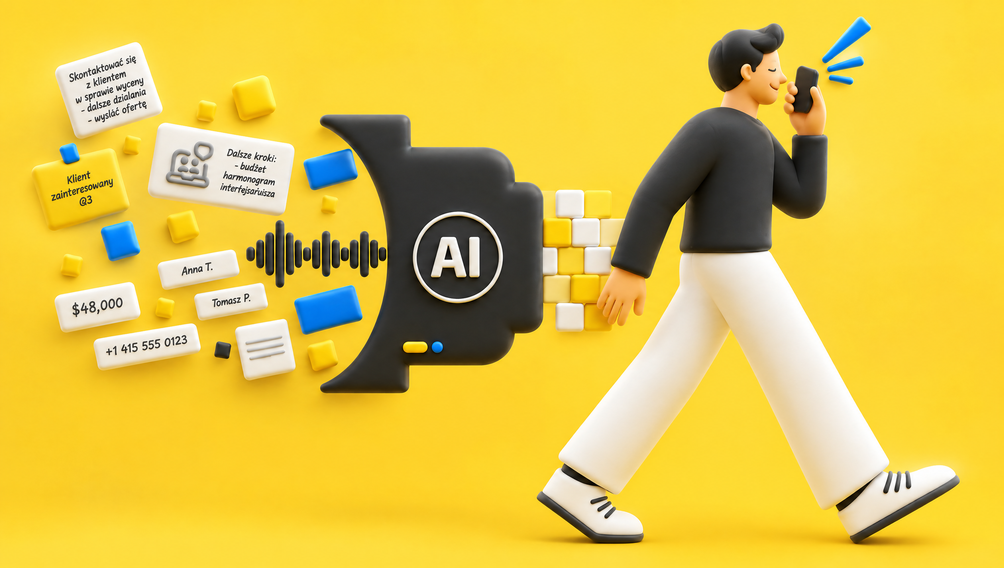
An AI assistant for the sales rep solves this problem. It's a tool that rides shotgun into the field, listens to voice notes after meetings, and turns them into CRM entries, tasks, and emails on its own. This isn't just another app to install. It's a mechanism that hands reps back their valuable time and finally gives the company complete, current sales data. Real digital transformation starts with optimizing the most time-consuming processes.
Why is transcription alone not enough? From tools to a process
More and more tools that can turn speech into text are hitting the market. Apps like Plaud, Fathom, or dictation features with transcription built into various systems (e.g., Whisper by OpenAI) keep getting better at it. That's a great first step, but on its own it solves only a small slice of the problem.
So what if the rep gets a "wall of text" transcription of their note? Someone still has to read that text, pull out the key information (what was agreed, what the next steps are, when the deadline falls), and manually enter it into the right fields in the CRM. Instead of writing a report, you're now editing one. That's a phantom time savings that, in practice, often turns out to be a loss.
The real value only shows up when you connect these individual tools into a coherent, automated process. The idea is to build a mechanism where the voice note is not only transcribed but also understood by AI, which then carries out all the administrative tasks itself. Good collaboration mechanics are foundational not just between people, but between people and technology too.
Anatomy of an AI Assistant: What does it actually do?
Picture an assistant that combines the traits of an analyst, a secretary, and a project manager. Its jobs break down into the absolutely essential ("must-have") ones and the ones that add value ("nice-to-have").
Here's how the functions break down in a typical AI Assistant rollout:
The "must-have" functions center on automating the most repetitive, time-consuming tasks. They free the rep from paperwork. The "nice-to-have" functions support the strategic side of the job, helping optimize decisions and communication.
| Function | Description | Business goal |
|---|---|---|
| Pre-meeting briefing | The system hands the rep key information (customer history, open issues, BI data on declining sales) before they walk in the door. | Boosts meeting effectiveness, helps avoid "walking in blind." |
| Post-meeting voice note | The rep records a short voice note describing what was agreed and the next steps. | Saves the rep's reporting time, captures the agreements precisely. |
| Automatic CRM population | AI analyzes the note, creates contact-history entries, and sets up tasks and alerts in the CRM. | Ensures complete, current CRM data, automates admin work. |
| Route optimization (optional) | Plans the day's route with business priorities in mind (e.g., customers with the biggest drop in revenue). | Maximizes the value of every meeting, uses field time efficiently. |
| Email generation (optional) | AI drafts emails to the customer based on what was agreed in the meeting. | Speeds up communication, keeps messaging consistent, takes load off the rep. |
| Sentiment analysis (optional) | Assesses tone of voice and word choice to gauge the customer's attitude (enthusiasm, skepticism). | Provides extra context for the manager, helps them better understand the dynamics of the customer relationship. |
Source: Beecommerce.pl analysis
A day in the life of a rep with an AI assistant
To bring this to life, let's walk through a typical workday for a sales rep using an AI Assistant:
8:00 – Morning coffee: The rep opens the assistant app. Based on ERP and CRM data, the system proposes today's route. Priority: Company A (revenue down 20%), Company B (contract renewal deadline approaching), and Company C (a promising new lead).
9:45 – Before the meeting with Company A: In the car in the parking lot, the rep asks the assistant for a brief. On the phone screen: "Company A, last contact 3 months ago. Sales of product Y down 30%. Last complaint about a delivery resolved positively. Point of contact: Jan Kowalski, likes to talk soccer."
11:00 – After the meeting: Heading back to the car, the rep dictates a note: "Meeting with Jan went well. We pinpointed the cause of the sales drop: the competition has better terms. I proposed a new 5% discount, he accepted. I need to update the contract and send it over by the end of the week. He also asked about product Z, I'll send him a brochure tomorrow."
11:05 – On the way to Company B: While the rep drives, the AI assistant is already working. A meeting note appears in the CRM. The task "Update Company A's contract" lands on the to-do list dated Friday. The task "Send product Z brochure" is scheduled for tomorrow.
17:00 – End of the workday: The rep heads home. Every report is filled in, every task scheduled. They can close the laptop and be with their family instead of spending two hours "pounding away in the CRM."
This scenario shows how the AI Assistant becomes the rep's invisible partner. It automates the mechanical tasks and lets them focus on what matters most: relationships and selling.
Data security: the key question when choosing technology
The idea of sending recordings about customers and deal terms "off to the cloud somewhere" can raise concerns. And rightly so. This is the most important technical aspect you have to get right.
To keep sensitive data secure, follow these principles:
Avoid public models: Using the free, public version of ChatGPT to analyze this kind of data is a non-starter. There's a risk your data could be used to train the model, which breaches confidentiality and GDPR rules.
Choose secure APIs: Professional rollouts run on paid versions of language models (e.g., via the OpenAI, Anthropic, or Google APIs) that contractually guarantee customer data won't be used for further training and gets deleted after processing. That's the bare minimum.
Consider private models: For the largest companies with the most sensitive data, it's possible to deploy a language model on private cloud infrastructure (e.g., through an Azure or AWS subscription). This gives you full control over the data, but it's a far more expensive solution and demands greater IT resources.
Choosing the right, secure LLM is the foundation, and without it the whole project makes no sense. It's like picking a safe: it has to match the value of what you're keeping in it.
Where do you start the rollout? And what does it cost in 2026?
Rolling out this kind of system isn't buying a finished product off the shelf. It's a project that has to be "tailor-made" to the sales processes and IT systems of a specific company. That doesn't mean you have to sink hundreds of thousands of dollars into it right away, though.
The best approach is to start with a small, controlled pilot.
It's worth stressing that a fast MVP rollout is key. It minimizes risk and lets you validate your business assumptions quickly. The cost of an MVP in the Polish market starts at roughly $20K to $25K net. That's an investment within reach for plenty of mid-sized companies.
Investing in an AI Assistant pays off not just through the reps' time savings. Above all, it pays off through higher-quality CRM data, which leads to sharper business decisions, better customer service, and, ultimately, higher sales. It's a tool that finally lets you focus on what actually works in e-commerce and sales: the customer relationship.
| Rollout stage | Duration | Estimated cost (net) | Description |
|---|---|---|---|
| 1. Workshops and prototype | 2-4 weeks | $7.5K – $15K | We map the processes, identify the bottlenecks, define how the assistant should work, and build a clickable prototype. |
| 2. MVP for 1-3 reps | 2-3 months | $20K – $25K | We build a minimal but fully working version of the assistant for a small test group. We gather feedback and refine the tool. |
| 3. Scaling to the whole team | 3-6 months | $37.5K – $75K+ | We expand the system and roll it out to all reps in the company, based on lessons from the MVP. |
Source: Beecommerce.pl estimates based on projects from 2024–2026
FAQ – Frequently asked questions
No, an AI Assistant won't replace the sales rep. Its role is to automate routine administrative tasks. That lets reps focus on building relationships and closing deals. It's a supporting tool, not a replacement.
In our experience, reps can save 1 to 2 hours a day on reporting and CRM data entry. That translates into an extra 20-40 hours a month they can devote to direct customer contact.
Yes, if the rollout is built on secure practices. You should use paid language-model APIs (e.g., OpenAI, Anthropic) with a data-confidentiality guarantee, or consider private models on your own infrastructure. Never use public, free tools for sensitive data.
The prototype typically runs $7.5K – $15K net. A minimal, working rollout (MVP) for 1-3 reps costs $20K to $25K net. Full scaling to the entire team is an investment on the order of $37.5K – $75K+ net.
The first results, in the form of time savings and better CRM data, are visible as soon as 2-3 months after the MVP goes live. A measurable rise in sales and conversion usually follows within 6-12 months, as the processes get optimized.
A professional AI Assistant rollout always assumes integration with your existing CRM (e.g., Salesforce, HubSpot, Microsoft Dynamics). That's crucial so the AI can automatically populate data and create tasks right where reps already work.
Absolutely. We recommend starting with workshops and a prototype, then rolling out an MVP for a small group of reps. That lets you test and optimize the solution with minimal financial and operational risk.
Summary and decision framework
An AI Assistant in field sales isn't a futuristic vision, it's a real tool already changing the face of a rep's job today. It frees them from tedious administrative tasks and lets them focus on what they do best: building relationships and generating revenue. At the same time, it delivers the company priceless, current data that forms the foundation for sound business decisions.
Decision criteria before rolling out an AI Assistant:
Team size: Does your sales team spend a significant chunk of its time on reporting? (More than 5 reps is a good threshold.)
CRM data quality: Are you missing current, complete data on customer interactions?
Operating costs: Do you want to cut the time spent on admin and boost rep productivity?
Data security: Are you ready to invest in secure API solutions or private LLMs to protect sensitive information?
Pilot readiness: Is your company open to rolling out technology gradually, starting with an MVP?
If the answer to most of these questions is "yes," an AI Assistant may be your next step in optimizing sales.
Want to see how an AI Assistant could work in your team?
Download our free checklist: "5 questions you need to ask before rolling out an AI Assistant." It'll help you gauge your company's readiness and avoid costly mistakes. Contact us at contact@beecommerce.pl to get it. We always start with Rapid MVP Creation, a fast prototype rollout that lets you validate the solution's potential within 2-3 months.


Więcej artykułów na ten temat znajdziesz na naszym blogu
Clickable prototype over a 50-page spec in e-commerce
Why a clickable backoffice mockup speeds up board decisions in e-commerce projects and cuts implementation risk. A practical guide.
9 min
Read more
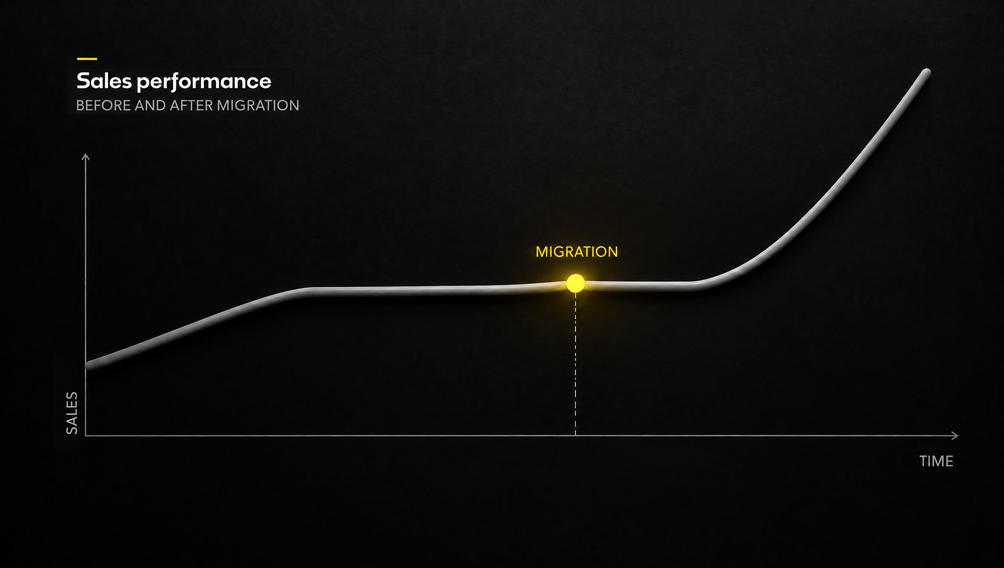
Seamless store migration: how to plan your cutover and mitigate risk
Planning an e-commerce store migration? Learn how to choose a cutover strategy (big-bang vs. strangler), minimize downtime, and monitor the first 72 hours post-launch to protect your sales and rankings.
12 min
Read more
ERP, PIM, and CRM in Headless Architecture: How Integrations Drive Implementation Success in 2026
Picture running a large online store. Customers place orders, products ship out, inventory levels shift, and your marketing team plans new campaigns. For…
12 min
Read more