



How to Make Your Design System AI-Ready in 2026
Status as of: Q2 2026 | Reading time: 9 min
TL;DR – In Brief
To use AI effectively in design, treat your Design System as code, not just a style guide.
An "AI-ready" system has three layers: text-based spec files, a central token layer, and an automated audit script to enforce rules.
Without this structure, AI generates inconsistent prototypes, leading to costly manual rework and project delays.
Start with a thorough audit of your existing system to find inconsistencies and "design debt."
A comprehensive AI-readiness project in Poland costs between $25,000 and $100,000 and typically takes 8 to 18 weeks.
This investment pays off. It speeds up prototyping, ensures brand consistency, and cuts down developer bug-fixing time.


What Is a Design System, and Why Does It Matter for AI?
Picture building a house out of building blocks. A design system is the instruction manual that comes with the set — it tells you not just which blocks to use, but how much space to leave between them and which colors should never sit side by side. It's a full set of rules, components, and guidelines for your digital brand. It's not just a color palette; it's ready-to-use buttons, forms, fonts, and rules that keep things consistent across every page and every app.

Once artificial intelligence enters the picture, that instruction manual stops being nice-to-have and becomes essential. AI tasked with design work needs clear, unambiguous, machine-readable direction. Hand it messy, disorganized inputs — your store's existing, inconsistent screens — and it starts guessing. What comes out is error-riddled work that doesn't match your brand. A well-built design system gives AI a precise map to follow. With it, AI doesn't wander off course; it delivers what you're looking for right out of the gate, saving you time and money.
Why Does AI Need Your Help?
There's a common belief that AI is almost magic — that it will simply grasp context on its own. In reality, when it comes to design, AI behaves like an incredibly capable but extremely literal-minded intern. It can process information at lightning speed and churn out hundreds of ideas, but it's missing human intuition, a feel for aesthetics, and an understanding of accessibility principles. AI doesn't know what's "attractive" or "easy to use" for a human unless you spell it out.
When AI generates prototypes, it often runs into small inconsistencies in existing designs. To a human, these are minor details. To AI, they're a signal that the rules are flexible and open to interpretation. That's a fast track to chaos and errors you'll later have to fix by hand. As the writers at Smashing Magazine put it, design decisions are infrastructure — you have to treat them as the foundation AI will build on. If that foundation is weak, the whole structure will be shaky.
Your job is to steer AI with precision. You're the one who has to tell it what matters, what the priorities are, and which rules are non-negotiable. Skip that step, and AI will still produce output — just not output you're happy with. You'll end up burning time on fixes instead of reaping the benefits of automation.
The Three Layers of an "AI-Ready" Design System
Getting your design system ready to work with AI is a process you can break down into three logical layers. Each one has its own distinct job to do: deliver precise instructions, provide a single source of truth, and keep quality in check. Think of it like building a road: first comes the route plan, then a uniform layer of asphalt, and finally, a quality inspection.
1.Spec Files
This is the foundation. Spec files are nothing more than detailed, written-out descriptions of your design decisions. Instead of hoping AI will "spot" the patterns on its own from visual mockups, you hand it ready-made, documented rules. These are typically simple plain-text files, often in Markdown format, and they lay out spacing rules, color choices for specific use cases, and detailed guidelines for components.
Files like these are considerably cheaper to maintain and far more accurate than trying to teach AI from images alone. They work like a written contract between you and the AI, eliminating any room for interpretation. At BeeCommerce, we apply this exact approach in our AI prototyping projects, to guarantee maximum precision right from the very start.
Then again, you might think this all sounds like overkill. After all, "you saw it online" — AI will just figure it out on its own. You might feel tempted to dump a grab-bag of references into a tool like Claude Design: a link to a YouTube video where some influencer explains how to build pages that sell, your product deck, a link to your current website, and a copy of an email from the CEO describing what the page should look like. Here's the best part: that'll work too, just differently. You'll get a random interpretation of whatever you uploaded and a random result. For simple, one-off projects, that's plenty — as long as you don't need a predictable, repeatable process.
2.Token Layer
The token layer is a single place where you'll find every variable that defines your brand's look and feel. Instead of typing the color "#FFCC00" into dozens of spots across your code and designs, you define it once as a token: accent-color: #FFCC00. Decide to change it, and you update the token in one single place — the change propagates everywhere automatically.
The token layer holds definitions for colors, typography (font sizes and weights), spacing values, and shadows. This layer delivers full consistency and flexibility. When AI works from tokens, it will always use the correct values. That's the key to keeping order in a design environment that's constantly shifting.
3.Audit Script
Even the very best instructions can still get misread or ignored by AI. An audit script is an automated quality watchdog that keeps close tabs on AI's work. This tool scans through the generated prototypes and checks whether any rules have been broken. It can catch hard-coded values used in place of tokens, inconsistent spacing, or accessibility issues such as color contrast that's too low to meet standards.
Free tools, like the FigmaLint plugin, help you audit tokens and component states. Audit scripts let you catch errors quickly, well before they ever reach the development stage. That's a massive time-saver and a real guarantee of quality, especially in e-commerce solutions, where interface precision has a direct, measurable impact on conversion rates.
Tools like Claude Design also come with a built-in audit layer, though users often aren't even aware it's there.
How to Get Started
Transforming your design system into one that's AI-ready takes real strategy and planning. You can't do it in a single day, but the sooner you start, the better off you'll be. Here are three practical steps.
1. Audit Your Current Design System
Start with an honest, no-holds-barred look at what you already have. Pull together every component, style, and guideline, then hunt for inconsistencies. Usually it's the people working directly with the code who spot the most inconsistencies — during implementation they end up building way more styles than expected, or digging into business logic nobody on the design team ever mentioned. Are you defining and using every shade of gray consistently? Is spacing between elements consistent throughout? Are there clear rules for when to use each button variant?
An audit lets you identify and put a name to your "design debt." AI won't pay it down — it might actually make it worse. At BeeCommerce, we offer a technology audit that helps pinpoint these areas, including in the context of website performance.
2. Build Your Spec Files and Token Layer
Once the audit's done, it's time to tidy things up. Write your design decisions down as spec files. In parallel, build out your token layer, defining every single variable in one central place. This gives AI structured, unambiguous data to work from. Companies like Atlassian and IBM, with its Carbon Design System, are great examples of how to pull this off effectively. Does this process have to be expensive and require deep expert know-how? That depends entirely on what you actually need.
For large commercial projects where a predictable outcome is required, you still need human input in the mix. That said, AI makes this process many times cheaper and faster than it used to be. What has genuinely changed, though, is access to design systems for smaller players. This space used to be reserved strictly for projects with at least a mid-sized budget behind them. Today, commercial tools like Claude Design mean this process can be nearly free in simple cases.
3. Roll Out Audit Scripts and Monitor Continuously
Once your foundations are in place, roll out audit scripts. These can be simple tools that check whether your prototypes comply with your established rules. Remember: a design system is a living organism. It needs ongoing maintenance and regular updates. Review and adjust your rules on a regular basis so they keep reflecting your brand's evolving needs.
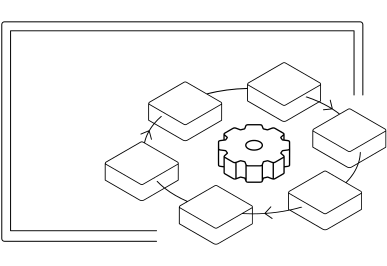
The Cost and Timeline for Making a Design System AI-Ready
Investing in an AI-ready design system is a step toward predictability and effectiveness. Cost and timeline both depend on scale and on how complicated your current system already is. Below, we've laid out sample pricing ranges for the Polish market in 2026.
The costs shown below illustrate a typical process for getting an existing design system ready for effective collaboration with AI tools.
| Project Type | Timeline | Cost (Minimum) | Cost (Average) | Cost (Maximum) |
|---|---|---|---|---|
| Design System Audit (identifying gaps and inconsistencies) | 1–4 weeks | $2,500 | $7,500 | $12,500 |
| Organization and Documentation (spec files, token layer) | 2–4 weeks | $5,000 | $12,500 | $25,000 |
| Deployment of Audit Scripts (automated quality control) | 2–3 weeks | $2,500 | $7,500 | $25,000 |
| Total (comprehensive preparation) | 5–11 weeks | $12,500 | $27,500 | $62,500 |
The ranges above are approximate and depend on the complexity of your existing system and the scope of work.
These numbers make one thing clear: this isn't a weekend project — it's a strategic investment. What matters most is that time and money go not toward the technology itself, but toward untangling existing chaos and writing down rules that were never documented before. This investment pays off not just for AI, but for your whole dev and design team.
How Does an "AI-Ready" Design System Support Your Business?
Getting a design system ready for AI isn't a technical vanity project. It's a well-considered investment that translates into concrete business benefits down the road.
The biggest one is a major cut in time-to-market. When AI has clear instructions, it generates prototypes in minutes instead of days. That speeds up the decision-making process and lets you test ideas at lightning speed, giving you a real edge over the competition. As a result, you start capturing business opportunities that used to be entirely out of reach for you — often because they were fleeting, demanding instant action, or too costly to implement.
Another benefit is consistent brand identity, which builds customer trust. AI working from a precise system will always produce designs that follow the guidelines, regardless of who's driving — designer A or designer B, a graphic artist or a product owner. That guarantees professionalism at every single customer touchpoint.
Finally, a system like this minimizes the risk of errors, which means fewer revisions, less wasted developer time, and lower costs overall. That's especially critical in composable commerce projects, where frontend flexibility has to go hand in hand with iron discipline to avoid chaos in the system's architecture.
FAQ: Frequently Asked Questions
A UI Kit is a collection of visual components. An 'AI-ready' system is more: it's an infrastructure with precise, machine-readable rules (specifications and tokens) and control mechanisms (audits) that enable AI to autonomously yet consistently create designs.
Absolutely. You can start with a minimal set of key components and rules. This allows you to quickly test the approach and gradually expand the system. We recommend such a Rapid MVP Creation model to minimize risk and rapidly validate ideas.
The main benefits include accelerated prototyping, enhanced brand consistency, reduced design errors, and improved team collaboration. AI automates repetitive tasks, freeing up designers' time for more creative challenges.
No, AI will not replace designers, but it will change their role. Their focus will shift more towards strategic thinking, system management, and guiding AI, rather than manually creating every element. AI will be a tool that augments their work, not eliminates it. On the other hand, small projects where a specific aesthetic isn't critical, like a simple landing page, can already be created today without graphic designer support using Claude Design, and the results can be surprisingly acceptable.
Comprehensive organization and implementation of all three layers can take 5 to 11 weeks. The initial audit alone typically takes 1–4 weeks, depending on the scale of the current system.
Yes, even small businesses can benefit. The sooner you start organizing your system, the easier it will be to scale your business and implement new technologies. Investing in consistency and automation pays off regardless of scale.
Figma is fundamental for component creation, alongside token management tools (e.g., Style Dictionary) and audit plugins (like FigmaLint). Integration with version control systems, such as Git, is also crucial for managing specification changes. For small projects that don't require IT-side maintenance, Claude Design can prove to be a sufficient and affordable solution.
Dług projektowy to suma wszystkich niespójności, błędów i kompromisów w projektach, które nie zostały naprawione na bieżąco. Podobnie jak dług techniczny, im dłużej jest ignorowany, tym droższa staje się jego spłata w przyszłości.
Wrapping Up: The Design System as AI's Foundation in E-Commerce
Getting your design system ready for the AI era in 2026 isn't a trend — it's a necessity for companies that want to stay competitive. It's an investment in precision, consistency, and efficiency. Remember: AI is only ever as good as the data and instructions you actually give it. With three layers in place — spec files, tokens, and audit scripts — you build a solid foundation that lets you:
Speed up prototyping and test new ideas faster.
Build consistent branding across every digital channel.
Cut costs by reducing errors and manual revisions.
Facing the challenge of getting your design system ready for the AI era? Get in touch with BeeCommerce at contact@beecommerce.pl. We'll help you audit your current system, build out precise specifications, and roll out tools for automated quality control. We always start with a Design System audit ($2,500–$12,500, running 1–4 weeks), which gives you a concrete estimate of the scope and cost of the work that lies ahead.


Sources
Hardik Pandya, How To Make Your Design System AI-Ready (Smashing Magazine, 2026) – https://smashingmagazine.com/2026/06/how-make-design-system-ai-ready/
Figma – https://www.figma.com/
Nielsen Norman Group, Design Systems 101 – https://www.nngroup.com/articles/design-systems-101/
IBM Carbon Design System – https://carbondesignsystem.com/
Let's talk about potential areas of collaboration!
Hi!
during the first consultation we'll analyze your goals through the lens of ROI and operational risk. Whether we're building an Enterprise system, an application, or an AI automation — together we'll plan an architecture that eliminates your technical debt and unlocks scalability.


Więcej artykułów na ten temat znajdziesz na naszym blogu
AI in field sales: how an AI assistant is reshaping the Rep's job and company results in 2026
Discover how an AI sales assistant automates reporting, optimizes routes, and boosts sales efficiency. Stop spending evenings updating your CRM.
10 min
Read more
Automation in Logistics and Manufacturing: Stop Firefighting! An Incremental Strategy for 2026.
Learn how to implement automation in logistics and manufacturing in 2026. Discover the “small steps” strategy, the costs, and the benefits for your business.
10 min
Read more

Headless Commerce and SEO in 2026: A Guide to Winning (and Losing) in Google
Understand how Headless Commerce impacts SEO and GEO in 2026. Learn about rendering and migration strategies, as well as an SEO checklist for e-commerce.
13 min
Read more